
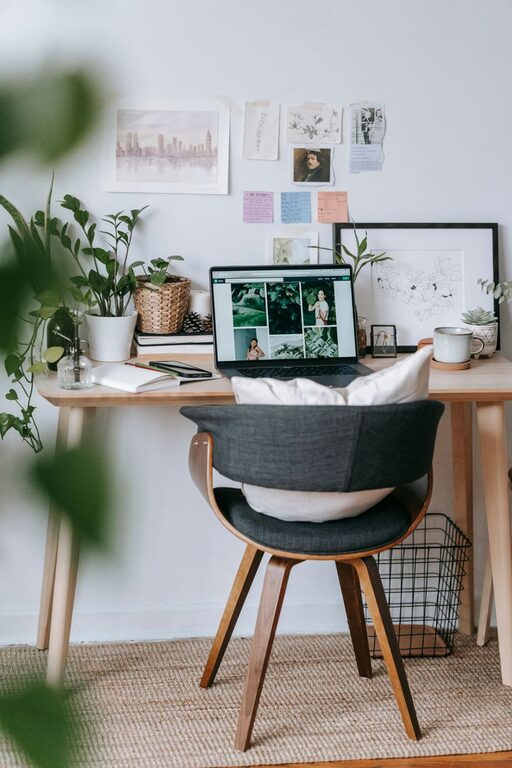
Creating a home office that balances comfort with productivity can make a significant difference in your daily work experience. Whether you’re working remotely full-time, freelancing, or just need a dedicated area for managing tasks, a well-designed space can boost your focus and overall well-being. Here are some helpful tips to make your home office both cozy and efficient.
Choose the Right Location
Find a Quiet, Low-Traffic Space
Start by selecting a spot in your home that minimizes distractions. Ideally, this should be a quiet corner or a separate room away from common areas like the kitchen or living room. If space is limited, consider using room dividers or screens to create a sense of separation.
Prioritize Natural Light
Natural light has been shown to improve mood and productivity. Position your desk near a window if possible to take advantage of sunlight. If natural light is limited, consider daylight-simulating bulbs to help brighten your workspace.
Invest in Comfortable and Functional Furniture
Select an Ergonomic Chair
A good chair can prevent posture-related discomfort and keep you comfortable during long work hours. Look for chairs with adjustable height, lumbar support, and sufficient padding.
Choose a Suitable Desk
Your desk should fit your workflow and space. Consider size, storage options, and surface material. Standing desks or convertible options can also help vary your posture throughout the day.
Optimize Lighting for Comfort and Focus
Use a Combination of Light Sources
A mix of ambient lighting and task lighting works best. Overhead lighting provides general brightness, while a desk lamp ensures focused illumination for reading or detailed work.
Adjust Based on Time of Day
Dimming lights in the evening and using warmer tones can create a relaxing atmosphere, signaling the end of the workday. In contrast, brighter, cooler lights during the day help increase alertness.
Organize Thoughtfully for Efficiency
Declutter Regularly
A tidy desk reduces distractions and stress. Keep only everyday essentials on your desktop, and use drawers or organizers for other items.
Use Storage Solutions
Shelving, filing cabinets, or storage bins can keep paperwork and supplies neatly out of sight but easily accessible.
Implement Cable Management
Use clips, sleeves, or cable boxes to manage cords and prevent tangles. This keeps your workspace clean and reduces the risk of accidental unplugging.
Personalize Your Space to Boost Comfort
Add Plants or Greenery
Plants improve air quality and add a calming touch. Choose low-maintenance varieties like pothos, snake plants, or succulents.
Incorporate Soft Textiles
A cozy rug, cushioned seat pad, or throw blanket can add warmth and comfort to your office space.
Display Inspiring Items
Photos, artwork, or motivational quotes can make your space feel more personal and uplifting without creating clutter.
Minimize Distractions
Set Boundaries with Family or Roommates
Communicate your work hours and the importance of minimizing interruptions during those times.
Use Noise-Canceling Headphones or White Noise
If background noise is an issue, headphones or white noise machines can help you stay focused.
Establish a Routine for Work and Breaks
Designate "Work Hours"
Having a clear start and end to your workday helps maintain work-life balance and keeps you productive.
Take Regular Breaks
Step away from your desk periodically. Short breaks improve focus and reduce fatigue.
Keep Technology Updated and Functional
Ensure Reliable Internet
A strong and stable internet connection is essential for remote work and video calls.
Maintain Your Devices
Keep your computer, printer, and other equipment clean and updated to avoid disruptions.
—
By following these tips, you can create a home office space that feels inviting and supports your productivity. Remember, your workspace should reflect your needs and preferences, so take time to adjust and improve it as you settle into your work routine. A cozy, well-organized office can help you enjoy working from home more than ever.

Related Posts